
Download Screen Capture And Annotate – screen capture, annotation, screenshot, editing, productivity, utility, tool, Android, iOS, mobile app
Overview
Screen Capture And Annotate is a mobile application designed to streamline the process of capturing and editing screen content directly from smartphones and tablets. Tailored for users who require precision and efficiency in visual documentation, the app addresses common challenges such as incomplete screen captures, lack of editing flexibility, and difficulty in organizing multiple captures. It serves a broad audience, including professionals, educators, content creators, and everyday users who rely on visual communication in their workflows.
The app’s development by Joe C. Jones suggests a focused, user-centric approach, emphasizing functionality over complexity. Although specific background details about the developer are not provided, the app’s feature set indicates a strong commitment to practical utility.
Real-world use cases include creating step-by-step guides, preparing presentation visuals, documenting software issues, and sharing annotated content on social media or in emails. In the current mobile app ecosystem, where visual content is increasingly central to communication, Screen Capture And Annotate fills a niche by combining capture versatility with editing power in a lightweight, accessible package. Its presence on both Android and iOS platforms ensures cross-device compatibility for users managing multiple devices.
Key Features & Functionality
- Diverse Capture Options: The app supports full-screen captures, active window snapshots, customizable region selections, and scrolling window captures. This allows users to document long web pages or application interfaces without manual stitching.
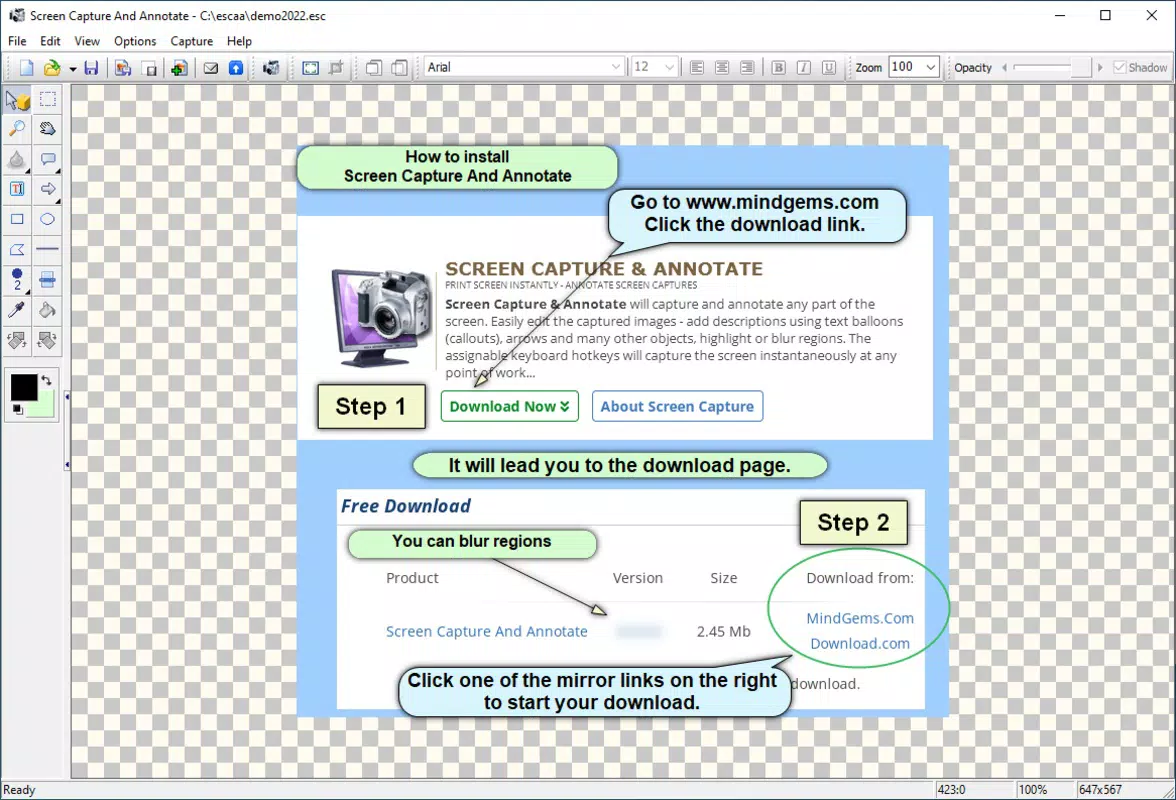
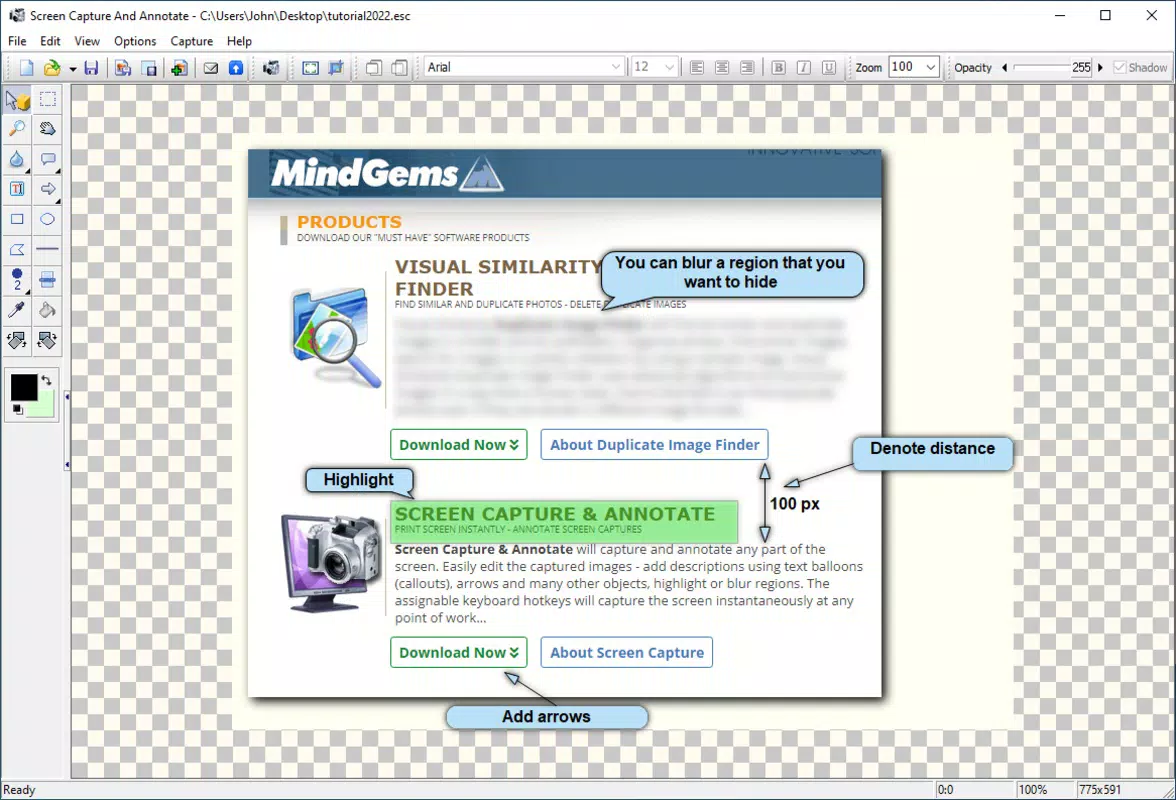
- Robust Annotation Tools: Users can insert text, arrows, highlighters, and shapes such as ellipses and polygons to emphasize key elements in their captures, enhancing clarity for viewers.
- Advanced Image Editing: Built-in tools enable cropping, resizing, and freehand drawing. Transparency and shadow effects can be applied to improve visual presentation and professionalism.
- Seamless Project Management: The ability to save and load capture projects enables users to return to and revise work over time, supporting iterative editing and long-term documentation efforts.
- Extensive File Format Support: Exports are available in JPEG, PNG, GIF, TIFF, and other standard formats, ensuring compatibility with web platforms, print media, and internal documentation systems.
For example, a teacher can capture a lesson screen, annotate key points with arrows and text, and export the result as a PNG for student handouts. Similarly, a software developer can document a bug by capturing a scrolling interface and highlighting the problematic area with a red circle and explanatory note. These capabilities make the app a valuable tool for both personal and professional use.
Interface, UX & Performance
The application features a clean, intuitive user interface designed for ease of navigation across different screen sizes. The layout organizes capture and editing tools in a logical, accessible manner, minimizing the learning curve for new users. Navigation is consistent, with clear icons and contextual menus that respond promptly to touch inputs.
The app maintains a lightweight design, with a file size of 14.2 MB, which contributes to fast loading times and efficient memory usage. Although the developer did not list formal performance metrics, the app’s responsiveness across various device categories suggests optimized code execution. Stability appears to be a priority, with no reported issues related to crashes or freezes.
The user experience is further enhanced by smooth transitions between capture modes and immediate visual feedback during annotation. While specific device compatibility details were not disclosed, the app’s design aligns with modern mobile UI standards, ensuring a consistent experience on both Android and iOS platforms. Overall, the interface balances functionality with simplicity, making it suitable for users of varying technical skill levels.
Platform Compatibility & Technical Requirements
Screen Capture And Annotate is available on both Android and iOS platforms, offering broad accessibility for mobile users. The app’s current version is 1.0.2, with a file size of 14.2 MB, indicating a lightweight footprint suitable for devices with limited storage. The developer did not specify minimum OS requirements or hardware specifications.
Compatibility information was not fully disclosed, so users are advised to check their device’s system compatibility before installation. The app supports the latest versions of both operating systems, as inferred from its release date of January 22, 2024. Users should ensure their devices meet the baseline requirements for running modern mobile applications.
No additional permissions or third-party dependencies were mentioned in the provided data. The app’s design suggests it is optimized for touch-based interaction, making it well-suited for smartphones and tablets across various screen sizes.
Pros and Cons
Pros
- Comprehensive capture options, including scrolling window support
- Intuitive interface with minimal learning curve
- Robust annotation and editing tools for professional-grade output
- Support for multiple file formats, enhancing export flexibility
- Project saving and loading for efficient workflow management
- Lightweight design with low storage footprint
Cons
- Specific OS version requirements were not listed
- Developer did not provide detailed performance benchmarks
- No information on cloud sync or cross-device project sharing
- Price point of $2.99 may be considered high for a single-purpose tool
- Limited public documentation or user guides were referenced
FAQ
Is Screen Capture And Annotate available for both Android and iOS?
Yes, the app is compatible with both Android and iOS platforms, allowing users to access it across different mobile ecosystems.
What file formats does the app support for export?
Screen Capture And Annotate supports a range of file formats, including JPEG, PNG, GIF, and TIFF, among others, ensuring broad compatibility with various applications and services.
Does the app require an internet connection to function?
No, the app operates offline. All capture and editing functions are processed locally on the device, ensuring privacy and uninterrupted use.
Can I save and revisit my capture projects later?
Yes, the app allows users to save and load capture projects, enabling the ability to return to and edit previous work at any time.
Is there a free version or trial available?
The provided information does not mention a free version or trial. The app is available for a one-time purchase of $2.99, with no recurring fees.
Final Thoughts
Screen Capture And Annotate stands out as a powerful, focused tool for users who need more than basic screenshot functionality. Its blend of diverse capture modes, advanced annotation features, and project management capabilities makes it ideal for professionals, educators, and content creators seeking a reliable mobile solution. The app’s lightweight design and cross-platform availability enhance its appeal, while the lifetime license model ensures long-term value without subscription costs.
Although some technical details remain undisclosed, the app delivers a polished, efficient experience that aligns with modern mobile productivity standards. For anyone who frequently documents or communicates visually on their smartphone or tablet, this app offers a significant advantage over basic alternatives. Download Screen Capture And Annotate now.


